
Best Steam Deck Accessories
Looking to upgrade your Steam Deck? The right accessories can improve storage, protection and battery life.
Below are some of the best Steam Deck accessories available right now, selected by Respawn Report based on performance, reliability and value.
This page contains affiliate links. As an Amazon Associate we may earn from qualifying purchases.
Best Steam Deck Accessories
Looking to upgrade your Steam Deck? The right accessories can improve storage, protection and battery life.
Below are some of the best Steam Deck accessories available right now, selected by Respawn Report based on performance, reliability and value.
This page contains affiliate links. As an Amazon Associate we may earn from qualifying purchases.
Product
Power Bank
1TB SSD
Carry Case
Docking Station
Screen Protector
Thumbstick
Price
£70
£110
£20
£30
£10
£10
Quick Choice
Anker High-Capacity Power Bank
Why we recommend it
• Large battery capacity provides multiple Steam Deck charges when travelling
• High output power can charge the Steam Deck while you are playing
• Trusted Anker build quality with reliable battery management
• Ideal for long gaming sessions away from a wall socket
If you regularly play your Steam Deck on the go, a high-capacity power bank is one of the most useful accessories you can own. Anker’s high-capacity models provide enough power to recharge the Steam Deck multiple times, making them perfect for travel, long commutes or extended gaming sessions away from home. For most Steam Deck owners, this is one of the easiest ways to dramatically improve battery life on the move.
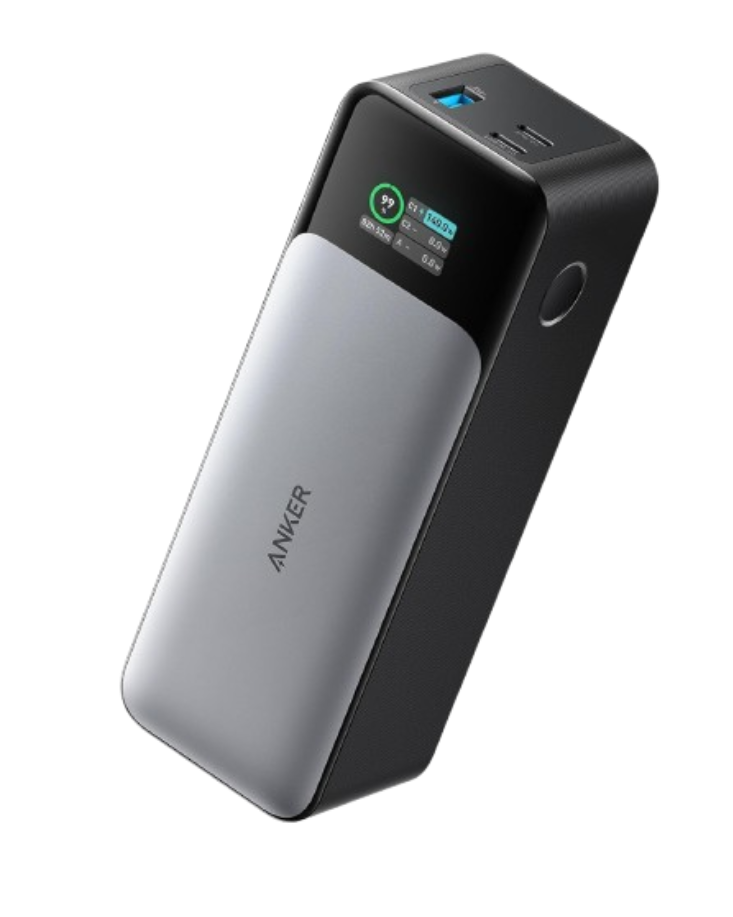
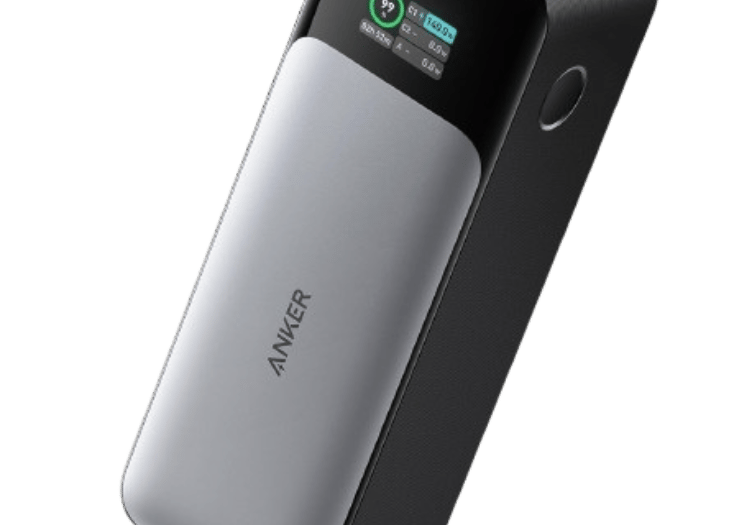
Price: ~£70-£100
RR’s Verdict: Best power bank
Anker High-Capacity Power Bank
Why we recommend it
• Large battery capacity provides multiple Steam Deck charges when travelling
• High output power can charge the Steam Deck while you are playing
• Trusted Anker build quality with reliable battery management
• Ideal for long gaming sessions away from a wall socket
If you regularly play your Steam Deck on the go, a high-capacity power bank is one of the most useful accessories you can own. Anker’s high-capacity models provide enough power to recharge the Steam Deck multiple times, making them perfect for travel, long commutes or extended gaming sessions away from home. For most Steam Deck owners, this is one of the easiest ways to dramatically improve battery life on the move.
Price: ~£70-£100
RR’s Verdict: Best power bank
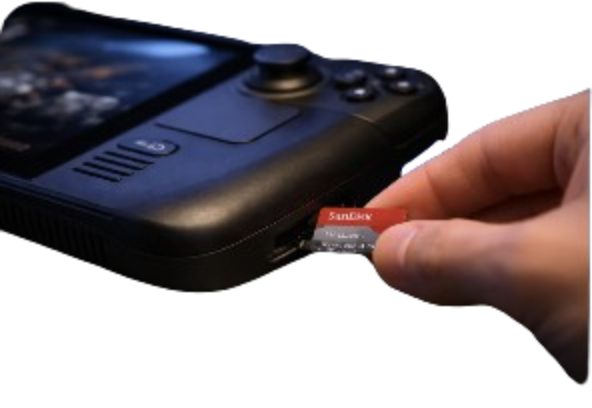

SanDisk 1TB Ultra microSD Card
Price: ~£110-120
Why we recommend it
• 1TB capacity massively expands Steam Deck storage
• Fast A2 / U3 speeds reduce game loading times
• Reliable performance trusted by many Steam Deck owners
• Easy plug-and-play upgrade
If you want the best balance of speed, reliability and storage capacity, the SanDisk Extreme 1TB microSD is one of the easiest and most useful upgrades for the Steam Deck. It allows you to install far more games without worrying about running out of space.
RR’s Verdict: Best Storage Upgrade
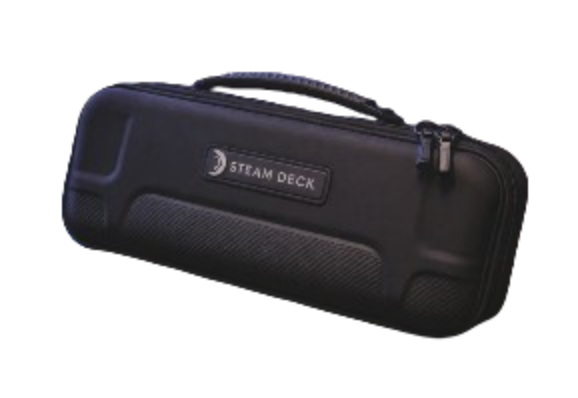
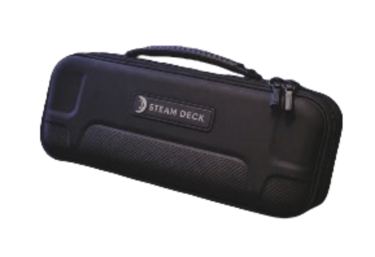
Steam Deck Protective Carry Case
Price: ~£20-£30
Why we recommend it
• Strong hard-shell protection designed specifically for the Steam Deck
• Soft interior lining protects the screen and joysticks from damage
• Built-in storage pocket for cables, chargers or small accessories
• Compact design that is easy to carry while travelling
The Spigen Rugged Armor Pro Pouch is one of the best protective carry cases available for the Steam Deck. Designed specifically for both the LCD and OLED models, it provides strong protection while remaining slim enough to carry comfortably in a bag or backpack. The hard outer shell protects the console from knocks and drops, while the soft interior lining helps keep the screen and controls safe during transport. For Steam Deck owners who regularly travel with their device, a high-quality carry case like this is an essential accessory.
RR’s Verdict: Best Protective Case
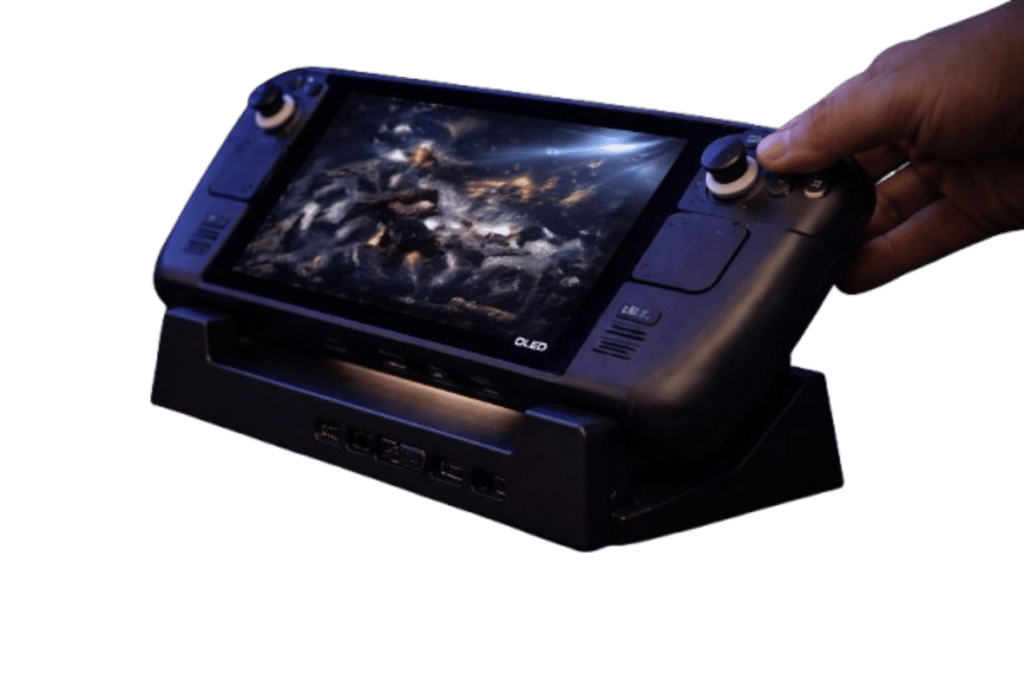

Steam Deck Docking Station
RR’s Verdict: Best Docking Station
Why we recommend it
• Allows you to connect the Steam Deck to a TV or monitor via HDMI
• Multiple USB ports for controllers, keyboards and other accessories
• Ethernet connection provides faster and more stable downloads
• Reliable Anker build quality with strong charging support
A docking station allows the Steam Deck to function more like a traditional gaming console or desktop PC. The Anker 6-in-1 Steam Deck dock connects the device to a monitor or TV using HDMI while also providing additional USB ports for accessories such as controllers, keyboards or external storage. It also includes Ethernet for more stable internet connections and supports fast charging while you play. For many Steam Deck owners, a dock is one of the best ways to enjoy the device on a larger screen at home.
Price: ~£30-£40


Steam Deck Tempered Glass Screen Protector
Why we recommend it
• Tempered glass protects the screen from scratches and everyday damage
• EZ Fit installation tray makes alignment quick and easy
• Maintains the original screen clarity and touch responsiveness
• Designed specifically for the Steam Deck LCD and OLED models
The Spigen EZ Fit Tempered Glass Screen Protector is one of the easiest ways to protect the Steam Deck display from scratches and minor impacts. The included installation tray helps align the protector perfectly with the screen, making the process far simpler than traditional screen protectors. Once applied, it maintains the clarity and responsiveness of the original display while adding an extra layer of protection. For Steam Deck owners who want to keep their screen looking new, this is a simple and worthwhile upgrade.
RR’s Verdict: Best Screen Protector
Price: ~£10-£15

Steam Deck Thumbstick Grips
RR’s Verdict: Best storage upgrade
Price: ~£5-£10
Why we recommend it
• Improves thumbstick grip for better control during gameplay
• Helps reduce thumb fatigue during long gaming sessions
• Protects the original joystick caps from wear over time
• Simple push-fit design that installs in seconds
Thumbstick grips are a small upgrade that can make a noticeable difference to the Steam Deck gaming experience. The Skull & Co. Convex Thumb Grip Caps add extra texture and height to the joysticks, improving control in fast-paced games such as shooters and racing titles. They also help protect the original joystick surfaces from wear caused by long play sessions. For a low-cost accessory, these grips are a quick and effective way to improve comfort and control.
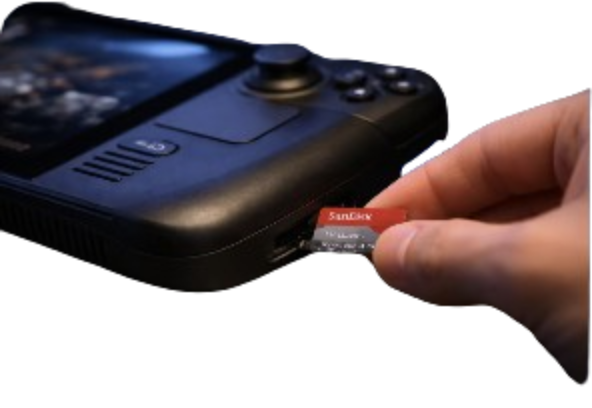
SanDisk 1TB Ultra microSD Card
Why we recommend it
• 1TB capacity massively expands Steam Deck storage
• Fast A2 / U3 speeds reduce game loading times
• Reliable performance trusted by many Steam Deck owners
• Easy plug-and-play upgrade
If you want the best balance of speed, reliability and storage capacity, the SanDisk Extreme 1TB microSD is one of the easiest and most useful upgrades for the Steam Deck. It allows you to install far more games without worrying about running out of space.
Price: ~£110-120
RR’s Verdict: Best Storage Upgrade
Steam Deck Protective Carry Case
Why we recommend it
• Strong hard-shell protection designed specifically for the Steam Deck
• Soft interior lining protects the screen and joysticks from damage
• Built-in storage pocket for cables, chargers or small accessories
• Compact design that is easy to carry while travelling
The Spigen Rugged Armor Pro Pouch is one of the best protective carry cases available for the Steam Deck. Designed specifically for both the LCD and OLED models, it provides strong protection while remaining slim enough to carry comfortably in a bag or backpack. The hard outer shell protects the console from knocks and drops, while the soft interior lining helps keep the screen and controls safe during transport. For Steam Deck owners who regularly travel with their device, a high-quality carry case like this is an essential accessory.
Price: ~£20-£30
RR’s Verdict: Best Protective Carry Case
Steam Deck Docking Station
Why we recommend it
• Allows you to connect the Steam Deck to a TV or monitor via HDMI
• Multiple USB ports for controllers, keyboards and other accessories
• Ethernet connection provides faster and more stable downloads
• Reliable Anker build quality with strong charging support
A docking station allows the Steam Deck to function more like a traditional gaming console or desktop PC. The Anker 6-in-1 Steam Deck dock connects the device to a monitor or TV using HDMI while also providing additional USB ports for accessories such as controllers, keyboards or external storage. It also includes Ethernet for more stable internet connections and supports fast charging while you play. For many Steam Deck owners, a dock is one of the best ways to enjoy the device on a larger screen at home.
Price: ~£30-£40
RR’s Verdict: Best Docking Station
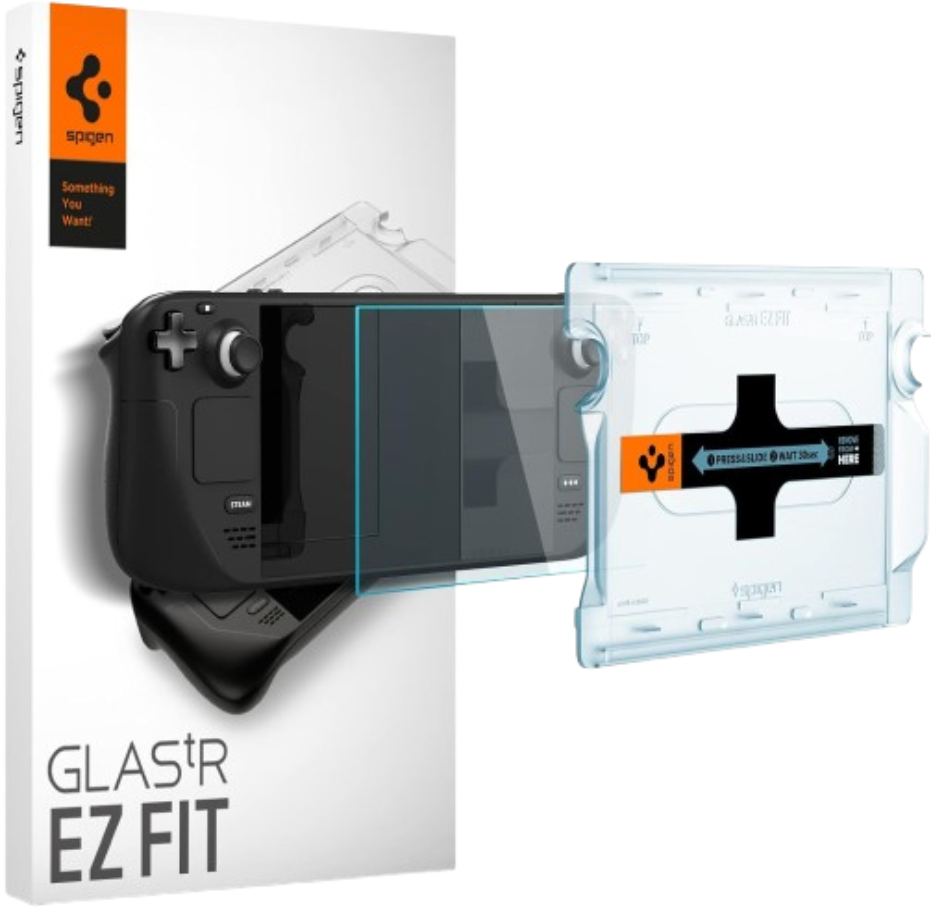
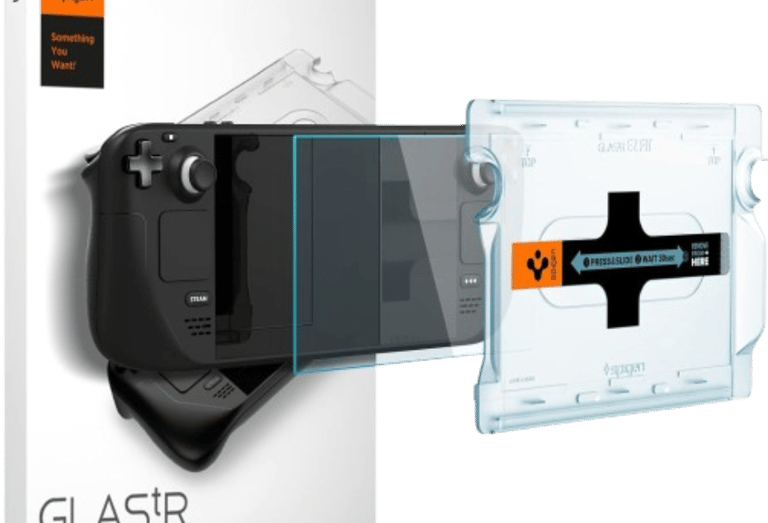
Steam Deck Tempered Glass Screen Protector
Why we recommend it
• Tempered glass protects the screen from scratches and everyday damage
• EZ Fit installation tray makes alignment quick and easy
• Maintains the original screen clarity and touch responsiveness
• Designed specifically for the Steam Deck LCD and OLED models
The Spigen EZ Fit Tempered Glass Screen Protector is one of the easiest ways to protect the Steam Deck display from scratches and minor impacts. The included installation tray helps align the protector perfectly with the screen, making the process far simpler than traditional screen protectors. Once applied, it maintains the clarity and responsiveness of the original display while adding an extra layer of protection. For Steam Deck owners who want to keep their screen looking new, this is a simple and worthwhile upgrade.
Price: ~£10-£15
RR’s Verdict: Best Screen Protector
Steam Deck Thumbstick Grips
Why we recommend it
• Improves thumbstick grip for better control during gameplay
• Helps reduce thumb fatigue during long gaming sessions
• Protects the original joystick caps from wear over time
• Simple push-fit design that installs in seconds
Thumbstick grips are a small upgrade that can make a noticeable difference to the Steam Deck gaming experience. The Skull & Co. Convex Thumb Grip Caps add extra texture and height to the joysticks, improving control in fast-paced games such as shooters and racing titles. They also help protect the original joystick surfaces from wear caused by long play sessions. For a low-cost accessory, these grips are a quick and effective way to improve comfort and control.
Price: ~£5-£10
RR’s Verdict: Best storage upgrade for Steam Deck
Frequently Asked Questions
Here are some common questions gamers ask when choosing what accessories to buy for a Steam Deck
What accessories should I buy first for Steam Deck?
Most Steam Deck owners start with a microSD card to expand storage, a protective case and a screen protector to protect the device.
Is a microSD card fast enough for Steam Deck games?
Yes. Modern microSD cards such as the SanDisk Extreme series are fast enough to run most Steam Deck games without noticeable performance issues.
Do I need a dock for Steam Deck?
A dock is not essential, but it allows you to connect your Steam Deck to a monitor, keyboard and mouse to create a desktop-style gaming setup.
Can you use a power bank with Steam Deck?
Yes. Many high-capacity power banks can charge the Steam Deck while gaming. Look for power banks that support USB-C Power Delivery (PD) with at least 45W output to ensure the Steam Deck charges properly.
What size microSD card is best for Steam Deck?
Many Steam Deck owners choose microSD cards between 512GB and 1TB to expand their game library. High-speed cards such as UHS-I U3 rated microSD cards are recommended to ensure fast game loading and smooth performance.
This page contains affiliate links. As an Amazon Associate we may earn from qualifying purchases.
How to Choose Steam Deck Accessories
The best Steam Deck accessories depend on how you use your device. Some players focus on storage and portability, while others want to connect their Steam Deck to a monitor and use it like a gaming PC.
Accessories like microSD cards are essential for expanding storage, while docking stations allow you to connect keyboards, monitors and controllers.
Protective cases and screen protectors are also highly recommended to prevent damage during travel.
⚠️ Things to Watch Out For
• Cheap microSD cards with slow read speeds
• Low-quality docks that cause overheating
• Screen protectors that reduce touchscreen sensitivity


Connect
Join our newsletter for fresh gaming updates.
Contact
Support
© 2025. All rights reserved.
partnerships@respawnreport.co.uk